Product
Your research.
One connected workspace.
Find papers, read deeply, and write with sources. In AewolFlow, Claude or your favorite assistant.
1 private project. No card needed.
In AewolFlow
A place to read, think, and write.
- 01
Find
Build a reading list around your question.
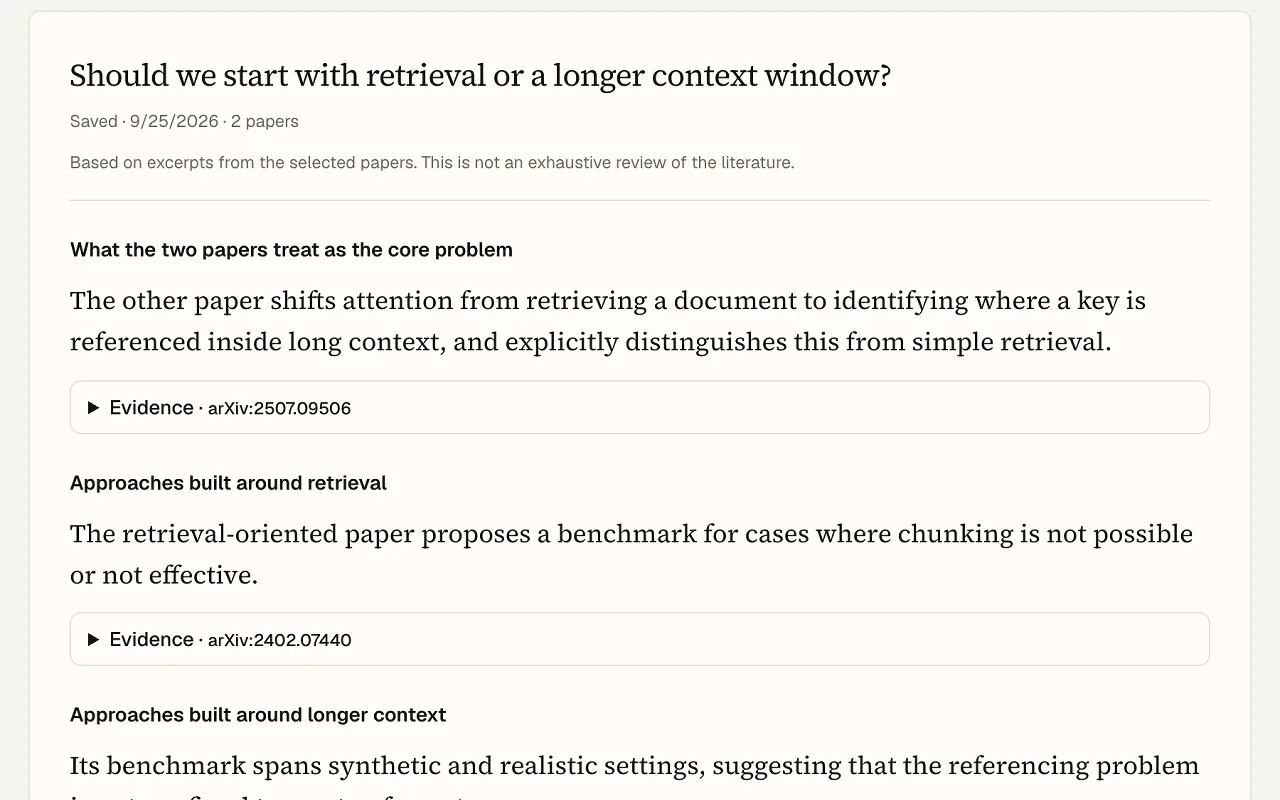
Explore recommended papers, see why they matter, and choose which ones belong in your project.
Explore discovery →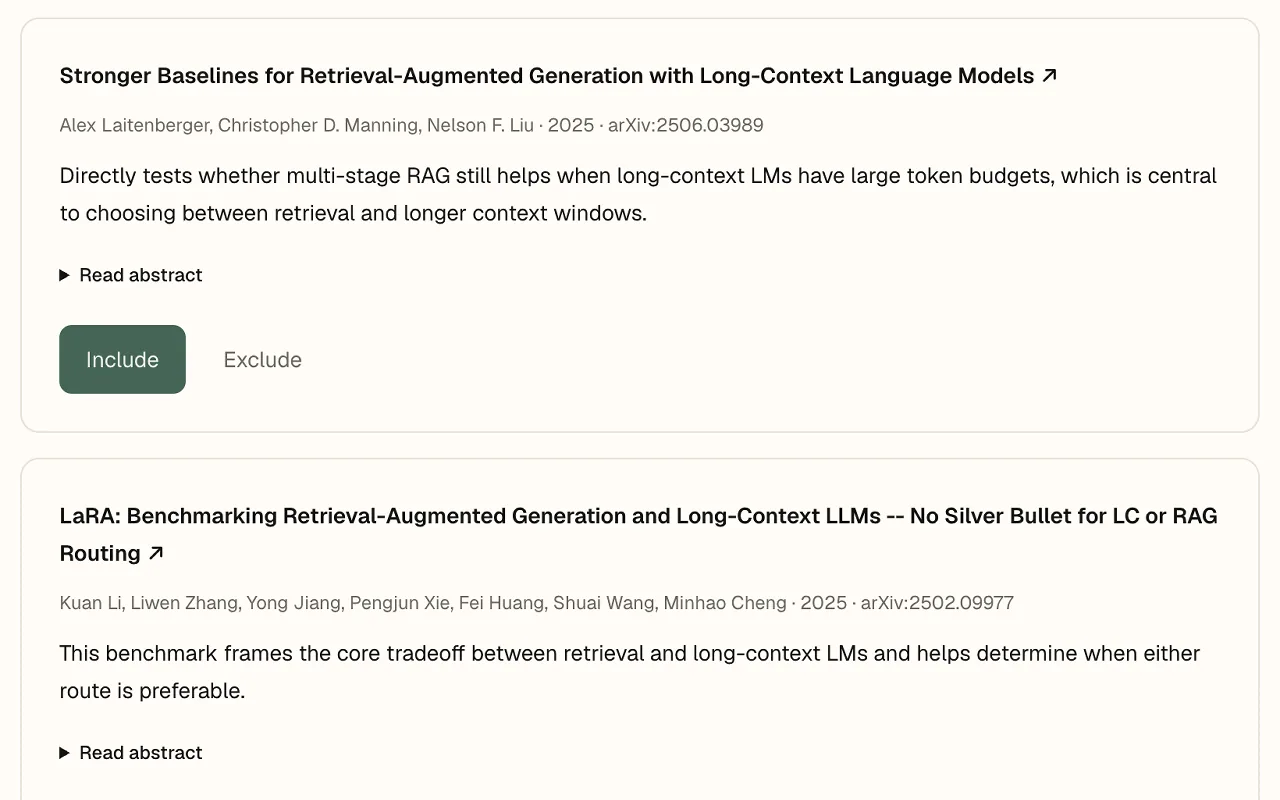
- 02
Read
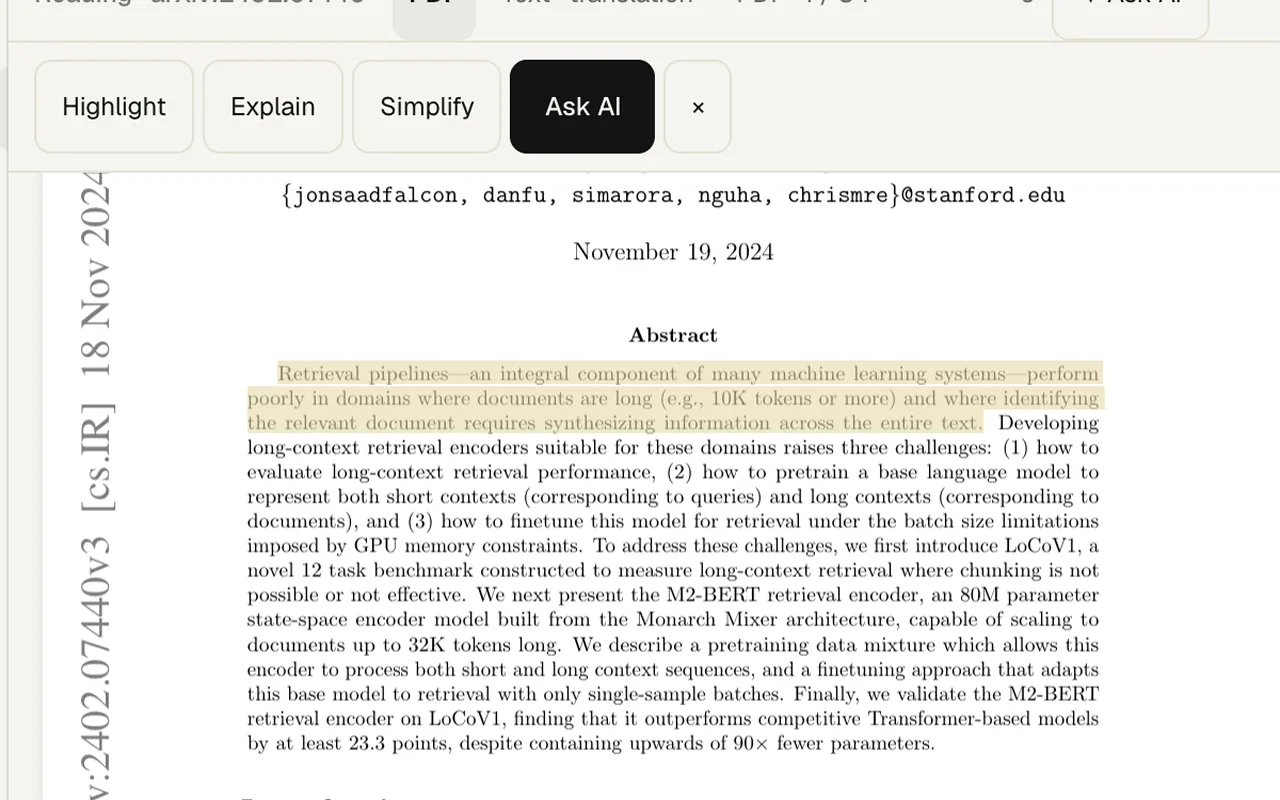
Understand the paper, beside the original.
Open an arXiv paper or upload a PDF. Choose a summary depth, highlight passages, add notes, and ask AI to explain difficult sections.
Explore the paper reader →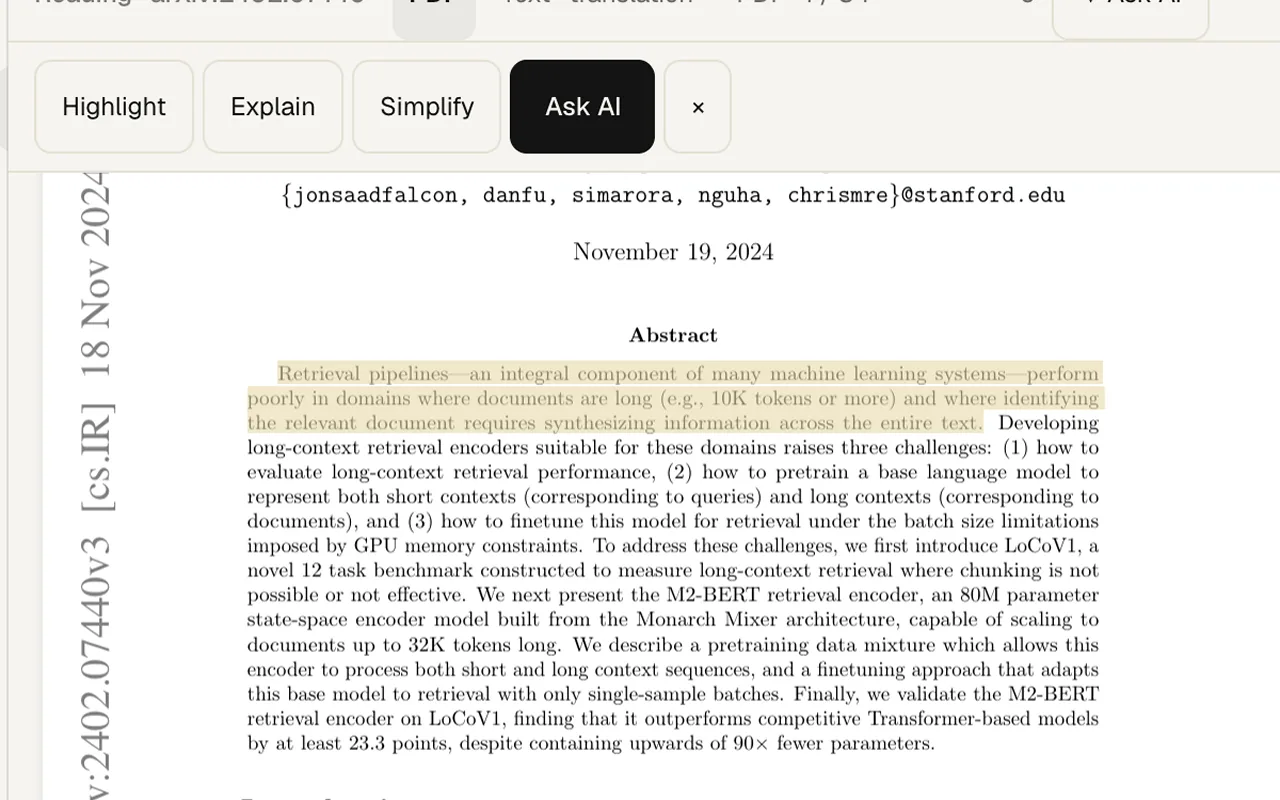
- 03
Write
Turn your reading into your next draft.
Keep literature reviews and drafts in your workspace. Check reference metadata and export your project as Markdown.
Explore the workspace →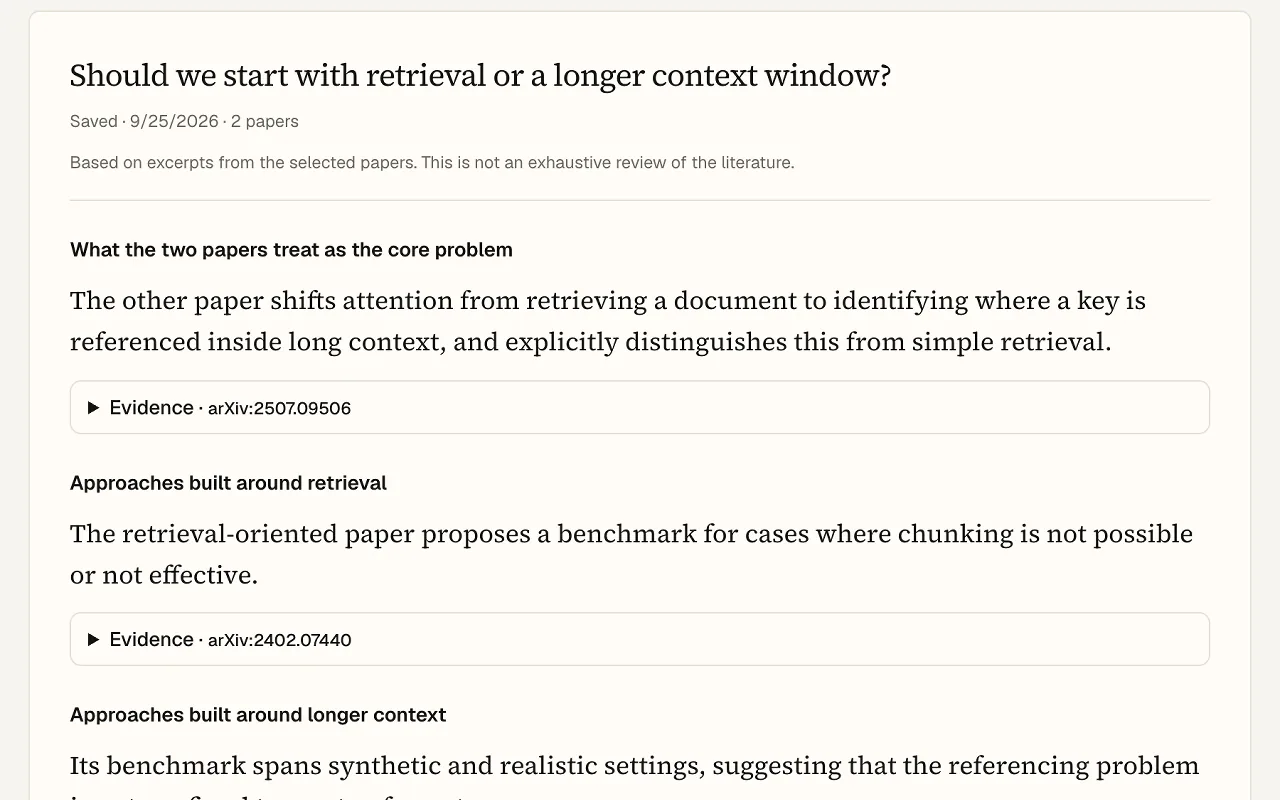
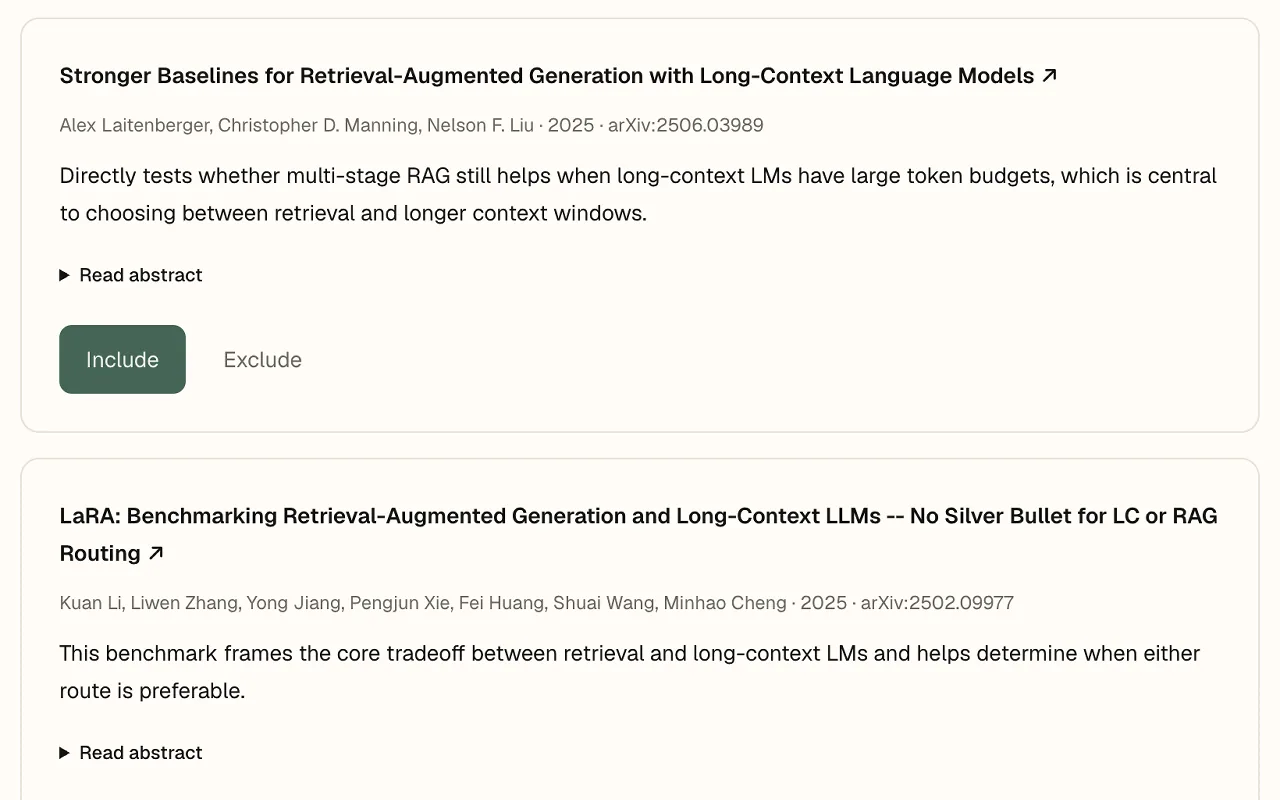
Real product screens · AI features require Pro
AewolFlow MCP
Your research workspace, inside Claude.
Keep working in the assistant you know. MCP connects Claude, Codex or Cursor to your papers, projects and writing in AewolFlow.
Explore what MCP can do →Library
Group papers into collections, chat across their full text, let your AI add papers over MCP, and see the citation graph behind every paper.
Knowledge graph
The knowledge graph puts the papers you read, the citations between them, and the documents you write on one screen. [[Wiki links]] between documents become edges.
Who it's for
For your first paper. And your next discovery.
Students
Get comfortable with research papers.
Start with a summary, ask about unfamiliar concepts, and highlight what matters as you read the original.
For your first paper or next seminar.
Graduate students & researchers
Bring your reading into your research.
Build a reading list around your question. Keep paper notes, decisions and drafts together as your literature review takes shape.
For literature reviews, theses and new projects.
AI engineers & practitioners
Keep up with the work behind your work.
Find and read papers through Claude or Codex. Save useful findings and record experiment results in a project you can return to.
For exploring methods and planning experiments.
Start with the question you're working on.
1 private project. No card needed.